
Get started with SMS API – from API key to delivery status
Send your first SMS through the API, understand the batch response and track delivery through status requests or a webhook.
This guide walks through a complete first flow: create an API key, build a valid payload, send a test message and verify whether it reached the recipient’s phone. It also provides a checklist for moving the integration from testing to production.
The guide is a practical starting point. The complete and current specification always lives in the SMS API documentation.
When should you choose the SMS API?
Choose the SMS API when a system needs to send messages automatically after an event, such as:
- a booking being created or changed,
- an order receiving a new delivery status,
- an HR system needing to reach staff about a schedule change,
- a monitoring system detecting an alarm,
- a user requesting a one-time code.
If a person will write and send messages manually, Web SMS is often an easier starting point. The API is the right choice when messaging must become part of an existing system or workflow.
How the SMS API and SMS Gateway work together
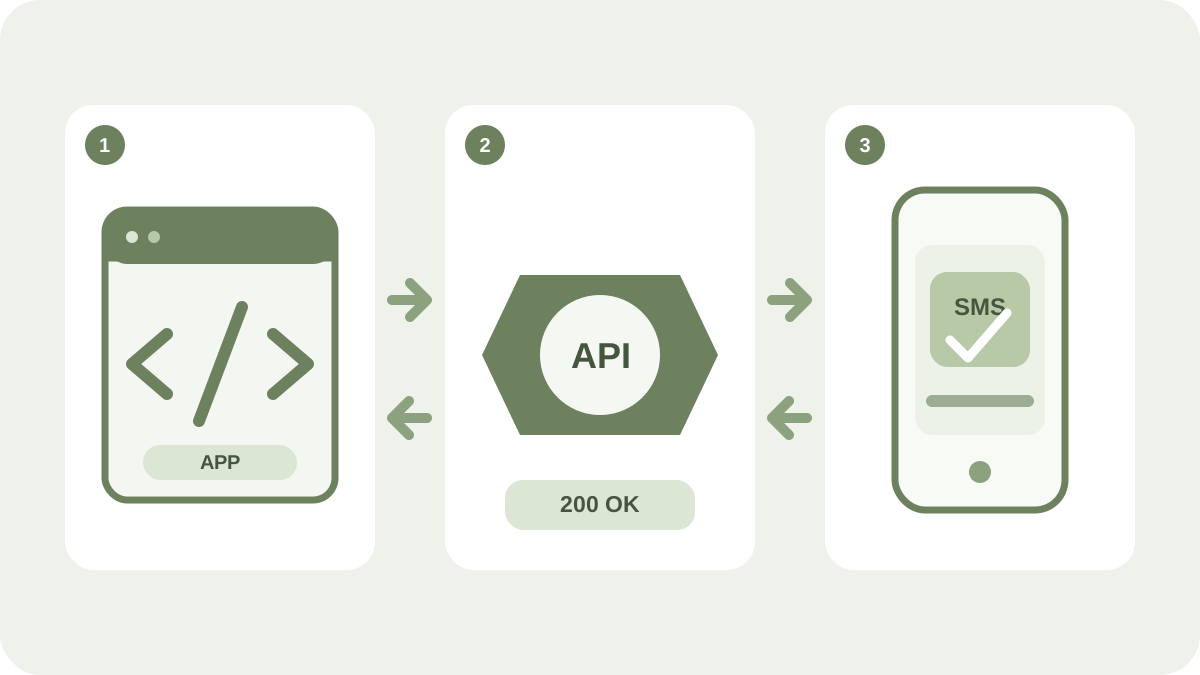
An integration normally follows this flow:
- Your application sends an HTTPS request containing JSON to the SMS API.
- The API validates the key, sender, recipients and content.
- The SMS Gateway routes the message to the mobile operator.
- The API returns a batch ID; each recipient’s message ID becomes available in the batch’s message list.
- Delivery status is retrieved through the API or sent to your webhook.
Accepted means that the message has been received for processing. Only 201 DeliveredToHandset confirms delivery to the recipient’s phone.
Prepare the test
You need:
- an iP.1 account with an SMS balance or active postpaid billing,
- an API key with the correct permissions,
- a registered sender,
- a mobile number you can check yourself,
- a server environment or terminal where the key can be stored securely.
Create the key in the user portal and put it in a protected environment variable:
read -rsp "API key: " IP1_TOKEN && export IP1_TOKENNever put the key in browser-side JavaScript, a mobile app, version control or a shared log. Create separate keys for each integration so that one can be revoked without affecting other systems.
1. Build and check the payload
A minimal message requires a sender, at least one recipient and message copy:
{
  "sender": "YourCompany",
  "recipients": ["46700000000"],
  "body": "Test from the iP.1 SMS API",
  "reference": "guide-test-001"
}
Phone numbers use MSISDN format: country code and number without +, spaces or a leading 00. A Swedish recipient would be written as 46700000000, for example.
Use the API playground to validate recipients, calculate SMS segments and generate code. The tool runs locally in your browser, makes no API requests and never asks for your API key.
2. Send the test message
Create a batch with POST /v2/batches:
curl --fail-with-body -X POST "https://api.ip1sms.com/v2/batches" \
  -H "Authorization: Bearer $IP1_TOKEN" \
  -H "Content-Type: application/json" \
  -d '{
    "sender": "YourCompany",
    "recipients": ["46700000000"],
    "body": "Test from the iP.1 SMS API",
    "reference": "guide-test-001"
  }'
Replace the sender and recipient before running the request. Start with your own test number, and always check message length, sender and cost before sending to a larger list.
3. Store the batch response
A successful request returns a batch document. Store these fields in particular:
id– the batch ID used for further tracking,status– the batch’s aggregate status,messageSummary– message and segment counts grouped by status,priceSummary– the batch’s estimated cost,reference– your own reference connecting the message to the correct event.
Do not log the Bearer token, complete phone numbers or message copy unless necessary. An internal reference, batch ID and timestamp are often enough for troubleshooting.
4. Check the delivery status
List the messages in the batch:
curl "https://api.ip1sms.com/v2/batches/{batchId}/messages" \
  -H "Authorization: Bearer $IP1_TOKEN" \
  -H "Accept: application/json"
Replace {batchId} with the id from the batch response. Each recipient receives a separate message document containing the latest status.
The status groups mean:
1xx– the message is being processed or routed,201– delivered to the recipient’s phone,202–203– processing ended without delivery, for example expired or cancelled,4xx– rejected because of the account, sender, content or recipient,5xx– a technical or network-related delivery error.
Always read the specific code in the status-code guide. A 2xx value does not automatically mean that the message was delivered.
5. Receive status updates through a webhook
For continuous production use, a webhook is more efficient than repeatedly querying the API. Include a public HTTPS address when creating the batch:
{
  "deliveryReportUrl": "https://example.com/webhooks/ip1sms"
}
iP.1 sends delivery reports with POST. The receiver should:
- validate the Content-Type and required JSON fields,
- place the report on an internal queue,
- respond quickly with
200 OK, - process duplicate events idempotently,
- use
id,codeandcreatedto identify a status event.
Replace the example address with an endpoint you control. See delivery reports for the payload, retries and secure handling.
Common problems
400 Bad Request
Check the JSON, required fields, sender format and that each recipient is a valid MSISDN.
401 Unauthorized
The Bearer token is missing, incorrect or revoked. Check the environment variable without printing the key in a log.
403 Forbidden
The key lacks permission, or the sender is not allowed for the account or destination.
Too many requests
The published limit is 30 requests per second and account. Use a queue, limited concurrency and exponential backoff.
The API request succeeds, but the SMS does not arrive
Check the message’s status code. Common causes include an incorrect number, rejected sender, disallowed content or a recipient who is temporarily offline.
Production checklist
- Store the API key in a secrets manager and rotate it regularly.
- Limit the key to the permissions and IP addresses required by the integration.
- Use a queue and controlled backoff instead of unlimited retries.
- Store batch and message IDs together with your own
reference. - Process webhook events idempotently and expect the same report more than once.
- Check SMS segments and Unicode before large sends.
- Log only the personal data you need and define a retention period.
- Monitor rejections, technical failures and missing delivery reports.
- Ensure a valid legal basis and a clear sender for every message.
Next steps
- Build the payload in the API playground.
- Follow the complete guide to send SMS.
- Configure delivery reports.
- Implement status-code handling.
- Explore the complete SMS API and SMS Gateway service.